
Meera listed her two-year-old phone on a classifieds app on a Sunday morning. By lunchtime, she had a buyer who agreed to the full asking price without a single haggling message. Remarkable. He sent a screenshot showing the payment as "successful," asked her to ship the phone that evening, and said he'd be travelling the next day. Meera packed the box, handed it to the courier, and refreshed her bank app. Nothing. Not that day, not the next. The buyer's number had gone quiet.
Fake payment screenshots are the sneaky trick hitting phone sellers right now, and they work precisely because they look so convincing. This guide shows you how the scam operates, what to look for, and how to protect yourself.
How Fake Payment Screenshots Work on Phone Sellers
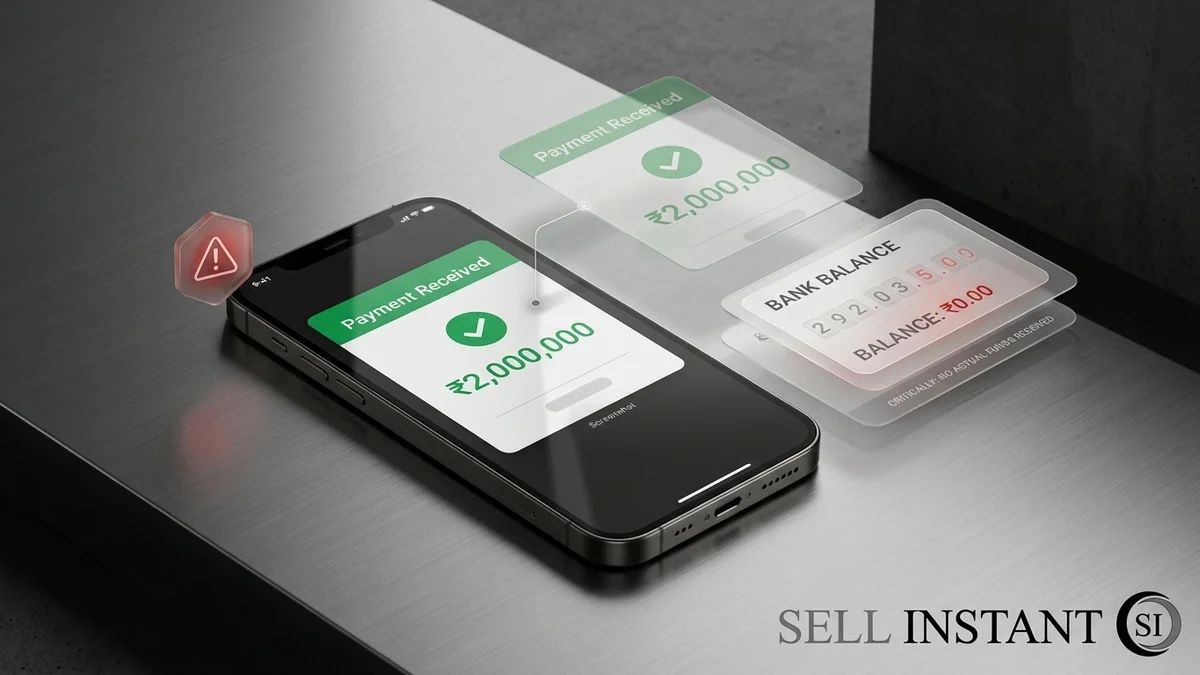
The idea is brutally simple. A scammer doesn't actually pay. Instead, they send an image that looks like proof of payment, and count on you being too busy, too polite, or too excited to check your own account.
Screenshots are easy to fake. Anyone with a basic photo editor or a cheap app can change names, amounts, and dates in minutes. A screenshot is just a picture. It proves nothing about your bank balance.
Here's the typical sequence:
- The quick yes: The buyer accepts your price instantly, no questions asked.
- The screenshot: They send an image of a "completed" or "pending" payment.
- The nudge: They push you to ship fast, citing travel, a gift, or a deadline.
- The vanishing act: Once the phone is on its way, replies slow down, then stop.
If that sounds familiar, you're not alone. Plenty of careful, smart people have been caught this way.
Why These Fake Payment Screenshots Fool So Many Sellers
Let's be honest: most of us aren't trained to spot forgeries. We see a green tick, a bank logo, and a confident message, and our brain says, "Looks fine." Scammers also lean on psychology.
They create urgency
"I'll lose the deal if I can't ship today." A rushed seller is a careless seller. Pressure is the oldest trick in the book.
They sound friendly
Polite messages and a warm tone lower your guard. A scammer doesn't need to act like a villain. A pleasant stranger is far more effective.
They exploit confusion about payment timing
Some payment methods really do take time to settle, so a "pending" status doesn't always set off alarms. Scammers hide behind that grey area, claiming the money "will arrive in a few hours."
Red Flags That Give Away a Fake Payment Screenshot
You don't need to be a tech expert. You only need to know where trouble tends to show up:
- Pending or processing status: Real money in your account isn't "pending." It's either there or it isn't.
- Mismatched details: Wrong name, odd formatting, blurry logos, or a date that doesn't line up.
- An unrealistic offer: A buyer happily paying above your asking price without even looking at photos deserves a second look.
- Pressure to ship immediately: Genuine buyers can wait an hour for you to confirm payment.
- Requests to chat off-platform: Moving from the marketplace app to a private messaging app removes your safety net.
- Overpayment stories: "I sent too much by mistake, please refund the difference." That's a separate scam, and a very popular one.
### Comparison: Real Bank Payment vs Fake Screenshot
| Verification Check | Real Bank / UPI Payment | Fake Payment Screenshot |
|---|---|---|
| Your Banking App Balance | Available balance increases immediately | Zero change to actual bank balance |
| Official Bank SMS / Push Alert | Direct SMS from bank sender ID (e.g. HDFCBK, AXISBK) | No official bank notification received |
| UTR / Transaction ID | Searchable & verifiable inside your transaction history | Fabricated or copied reference number |
| Settlement Status | "Completed" / "Success" in recipient statement | "Pending", "In Process", or static image tick |
| Safe Next Action | Hand over or ship the phone safely | Do NOT ship. Block buyer immediately |
How to Verify Payment Before You Ship Your Phone
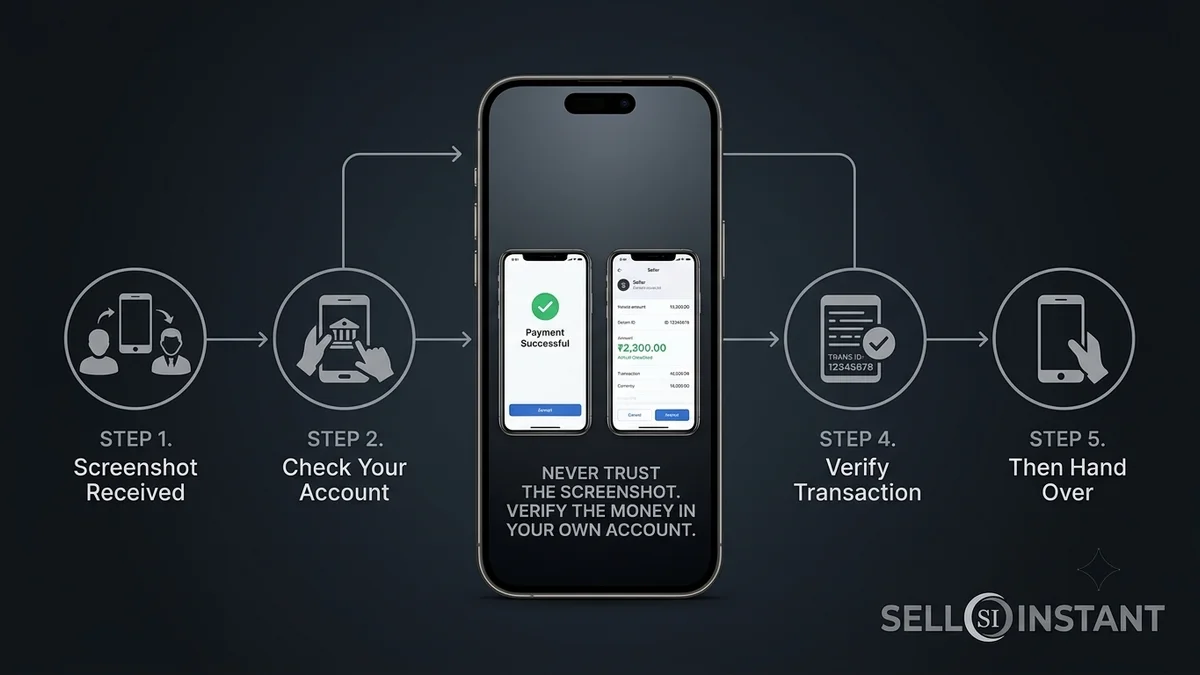
This is the heart of it. The fix is almost boring, and it works every time: check your own account.
- Open your bank or payment app yourself. Don't click links the buyer sends. Type the app or website address on your own.
- Look for the credited amount. Confirm it shows as settled, with the correct sum.
- Check for a transaction ID. Match it against what the buyer claims.
- Wait for clearance. If a transfer is delayed, ship only after it clears fully.
- Never accept screenshots, emails, or "payment sent" messages as proof. They're easy to fake. Your own balance isn't.
A friend of mine, Arjun, had a buyer send a flawless-looking screenshot and then complain that Arjun was "wasting time" by waiting for the money to land. Arjun held his ground. The buyer disappeared within the hour. Sometimes the best defence is just patience.
Safer Ways to Sell So You're Not Gambling on Screenshots
Honestly, the easiest way to dodge this scam is to avoid situations where a stranger controls the payment story.
Use protected platforms
Marketplaces with built-in payments and seller protection keep the money trail inside the system. Keep every conversation in the app, too, so there's a record if something goes wrong.
Choose instant-quote buying services
With a trusted buying service, you get a quote, ship the phone or have it picked up, and receive payment after inspection. There's no buyer sending you sketchy images, which removes the whole problem. You can see how it works on our sell your phone page.
If you sell in person
Meet in a busy, well-lit public place. Check the payment on your own phone while the buyer is standing right there, and hand over the device only after the money shows up. If the buyer makes excuses, walk away. There will always be another buyer.
What to Do If You've Already Been Scammed
First, don't beat yourself up. These scams are designed by people who do this for a living.
- Contact your bank immediately and share the transaction details.
- Report the buyer to the platform where you listed the phone.
- File a complaint with your local cybercrime reporting portal (cybercrime.gov.in) or police, and keep screenshots, chats, and tracking details.
- Contact the courier to try to stop or recover the package if it hasn't been delivered.
- Share your story so others can spot the pattern.
Speed matters, so act quickly. Also double-check that you wiped the phone and signed out of your accounts before shipping. If you're unsure, our guide on things to do before handing over your old phone walks you through the complete factory reset and wipe checklist.
Frequently Asked Questions (FAQs)
Frequently Asked Questions (FAQs)
It's a fraud where a buyer sends an edited image that looks like proof of payment so you'll ship the phone without actually being paid.
No. Screenshots are easy to alter. Only a credited amount in your own bank or payment account counts as proof.
Wait until it clears. Pending isn't the same as paid, and a genuine buyer will understand.
Generally, yes. Reputable services handle payment on their side, so you avoid screenshot tricks entirely.
Never. No genuine buyer needs your password, PIN, or one-time code to pay you.
Final Thoughts
Fake payment screenshots are the sneaky trick hitting phone sellers because they rely on hurry, politeness, and a quick glance at a convincing image. You can beat them with one habit: confirm the money in your own account before the phone leaves your hands. Stay calm, ignore the pressure, and remember that a real buyer will always wait for real money.
Want a safer way to sell your old phone? Get your instant quote on Sell Instant, with free doorstep pickup and instant payment on the spot. Have questions first? Contact our team or read more safety guides on our blog.
Upgrading or Selling Your Sell Old Mobile?
Get an instant guaranteed valuation online in 60 seconds with 100% free doorstep pickup and immediate UPI payment across India.